One-click listing import
Add a supported listing to Fovea without copying price, beds, baths, square footage, address, or listing notes by hand.
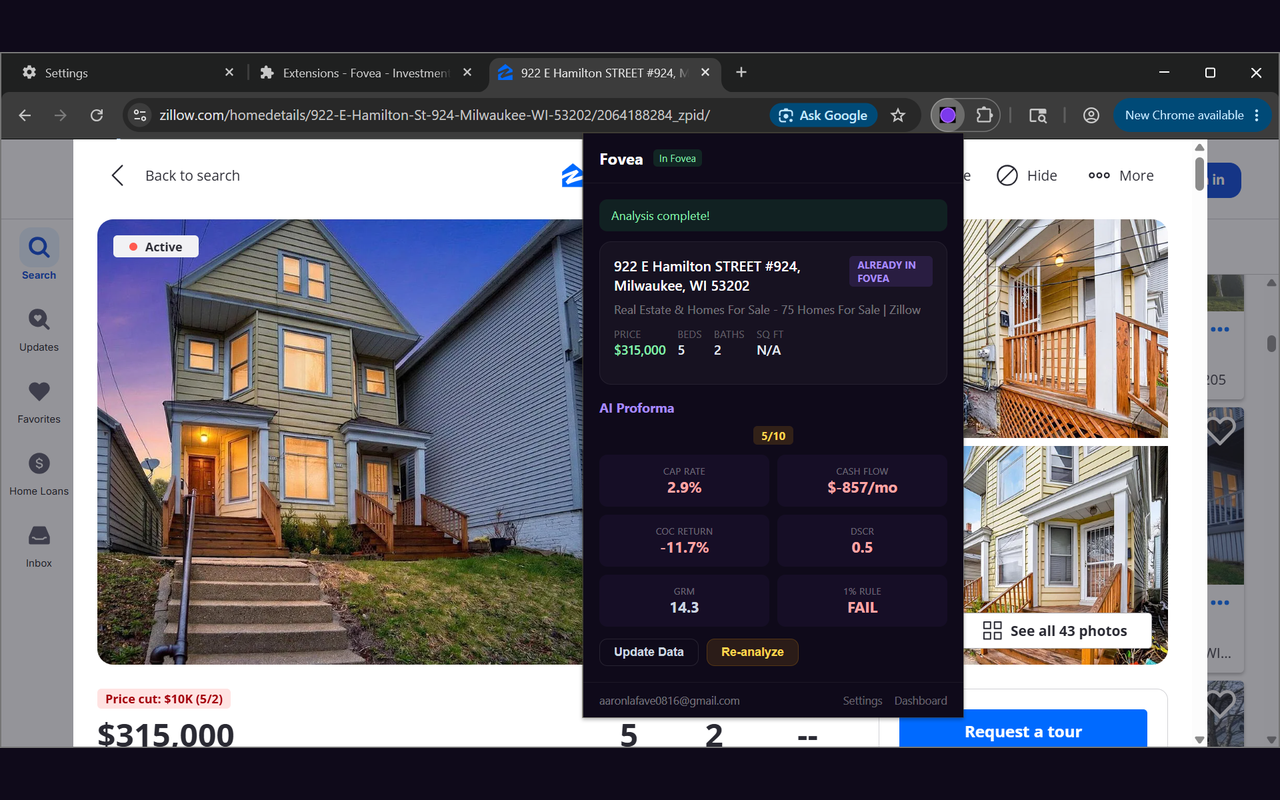
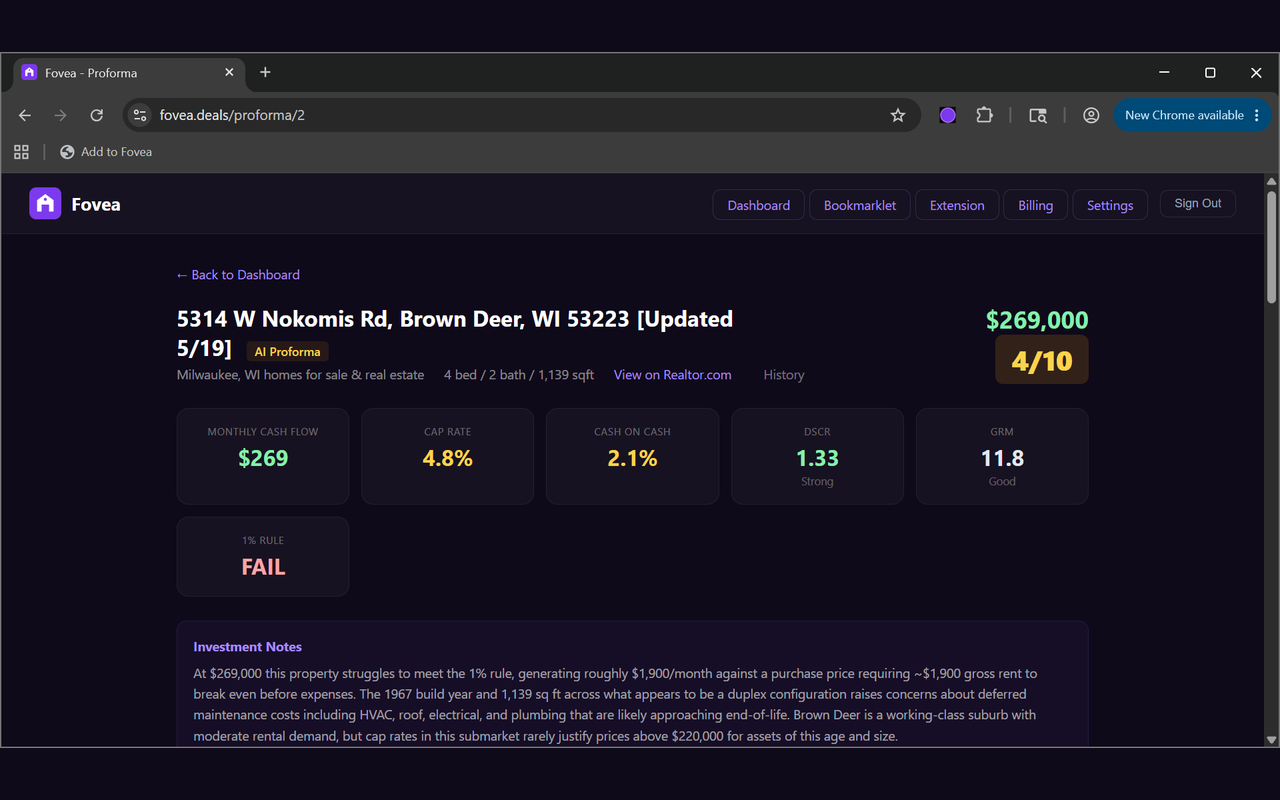
Install the Fovea browser extension to add Zillow, Redfin, and Realtor.com listings to your account, run AI-assisted proforma analysis, and review cap rate, cash flow, DSCR, cash-on-cash return, GRM, and rent assumptions.
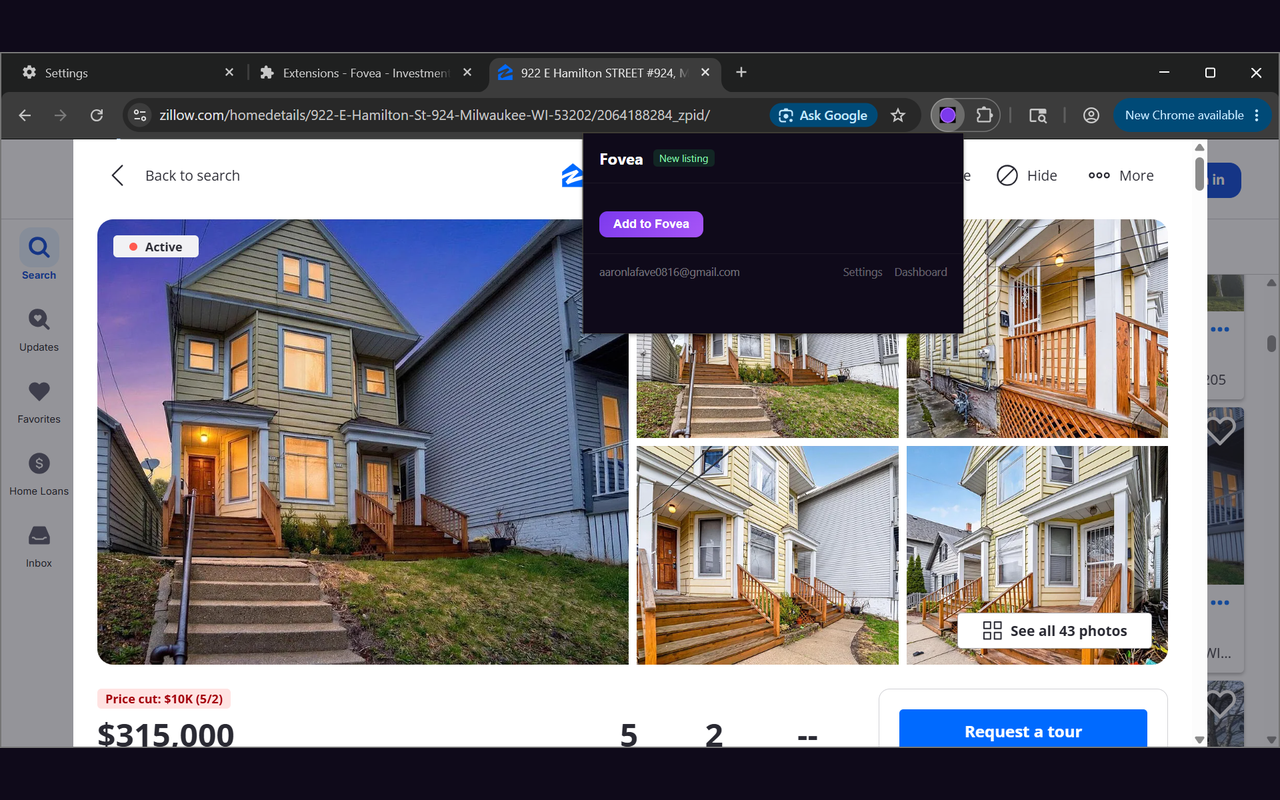
Fovea turns a listing page into an editable rental-property analysis so you can decide whether the deal deserves a closer look.
Add a supported listing to Fovea without copying price, beds, baths, square footage, address, or listing notes by hand.
Run the same Fovea analysis from the extension popup and review investor metrics while the listing is still open.
Use the browser extension for speed, then tune rent, taxes, insurance, financing, vacancy, reserves, and expenses inside Fovea.
The extension runs only on supported listing pages and sends listing-page content to Fovea only when you click an Add or Re-analyze button. It does not read unrelated websites, does not run a background scraper, and stores only your Fovea account token and server URL in browser-local storage. The full data-flow description is in the privacy policy.
No. The extension is a companion to a Fovea account so listings, analyses, and proformas can be saved securely.
The current extension workflow supports Zillow, Redfin, and Realtor.com listing pages.
No. Fovea is operated by Korinthos LLC and is not affiliated with those listing platforms or with Google.
No. Fovea provides AI-assisted estimates and proformas for screening and due diligence. Always verify important numbers independently and consult qualified professionals before making investment decisions.